
Your community doesn't live in just one tool. You might keep contacts in a CRM, publish a schedule on your own website, or track registrations in an internal dashboard. Keeping those tools in sync shouldn't mean downloading another spreadsheet every time something changes.
The Kommunity Developer API for organizers is already in use across many communities, tested through real integrations and everyday event workflows. It gives your own tools direct access to community and event data, along with actions for managing tickets, sponsors and more.
The API has grown beyond data access and ticket management. It now covers more of the organizer's workflow, from creating events and reviewing registrations to managing speaker submissions and reading event analytics. Here's what you can build with it, and how to connect your first integration.
Your community, connected to your tools
The API gives you access to both community and event data. You can read your community's details, events, members and products, then go deeper into a specific event:
- Event details — dates, location, capacity and status.
- Registrations — attendees and their registration question answers.
- Ticketing — ticket types, availability and discount codes.
- Event content — speakers, sponsors, the agenda and photos.
- Applications and reporting — speaker submissions, event statistics and the traffic funnel.
That gives you the pieces for a schedule on your own website, an attendee dashboard for your team, or a reporting workflow that brings multiple events together. You decide how the data fits into your tools.
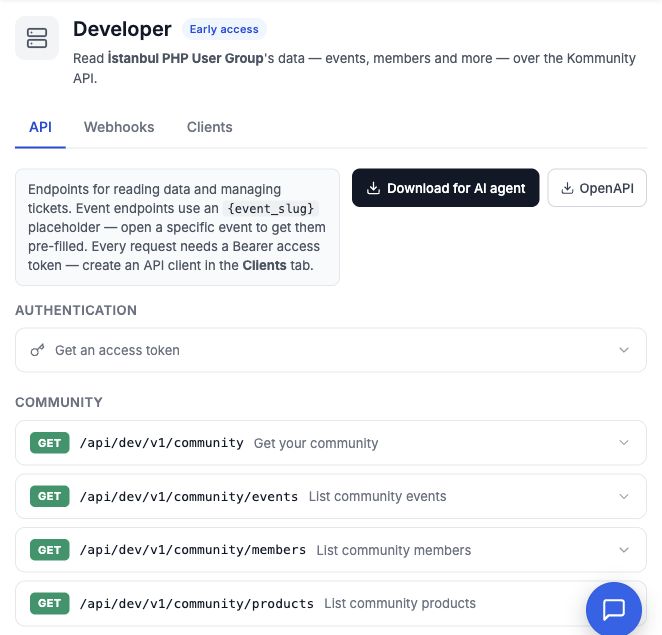
The API tab brings endpoint documentation and downloadable guides together in your community's Developer panel.
More than reading data
You can also manage parts of your event from your own tools:
- Guest lists and ticket management — issue complimentary tickets, correct attendee details, refund or cancel tickets.
- At the door — look up tickets, check in ticketed or RSVP attendees, and undo check-ins.
- Ticket sales — open a checkout and read an order to connect sales to your own website.
- Sponsors and the program — manage sponsors, speakers, tracks and sessions.
Your team could issue guest tickets from an internal invitation tool, keep event sponsors in sync with a partner database, or build a check-in tool around its own door workflow.
The issue tickets endpoint sends complimentary tickets to attendees by email and fires the corresponding webhook event. For paid ticket sales, use the separate checkout flow.
From event setup to registration decisions
Create an event from your own system, update its details, and manage its ticket types and discount codes. You can also upload a cover image and event photos, so your integration can keep both the event's information and its visuals up to date.
Registration workflows now have their own endpoints. Read registrations, approve or decline them, update RSVPs, manage the waiting list and promote people when places become available. You can also configure registration settings and questions through the API.
For a conference, that could mean reviewing applications in your team's internal tool and sending the decisions back to Kommunity. For a recurring meetup, it could mean creating the next event from a template in your own system and managing the waiting list alongside your other community tools.
Manage speaker submissions and event content
The API covers the call for papers too: configure it, open or close submissions, read applications and record acceptance or rejection decisions. Submission exports let you bring that information into your team's review process.
Once the program takes shape, you can manage talks, publish or unpublish them, maintain speakers and sessions, and update the event's live settings. Your submission review tool and your event program can work with the same data instead of relying on manual copying between systems.
Reporting and larger workflows
Read event statistics and the traffic funnel to bring registration and visitor reporting into your own dashboards. You can also retrieve ticket PDFs and use the operation endpoints to export attendees, registrations and issued tickets, or approve registrations and promote waiting-list members in bulk.
Operations run in the background, with endpoints to check their progress, request cancellation and download completed exports. Bulk changes require a preview before execution, so your tool can show the affected records and expected effects before submitting the operation.
The API also provides capabilities and mutation audit logs. Capabilities tell your integration what it can access; audit logs help your team trace changes made through the API.
Get started from the Developer panel
Open your community's Developer panel in the organizer console:
- Go to Clients and create a client for your integration. Give it a name you'll recognize, such as "CRM sync" or "Event dashboard."
- Save the client ID and client secret. The secret is shown only once.
- Exchange those credentials for an access token using the authentication example in the API tab.
- Send the token with your requests and start with the endpoint your integration needs.
Each client belongs to your community, so its token can only access that community's data. Access also depends on the client's permissions: reading events, updating registrations, issuing refunds and downloading exports have separate scopes. Give each integration the permissions its work needs, and use the capabilities endpoint to check its access.
You can create separate clients for different integrations and revoke them from the panel when you no longer need them.
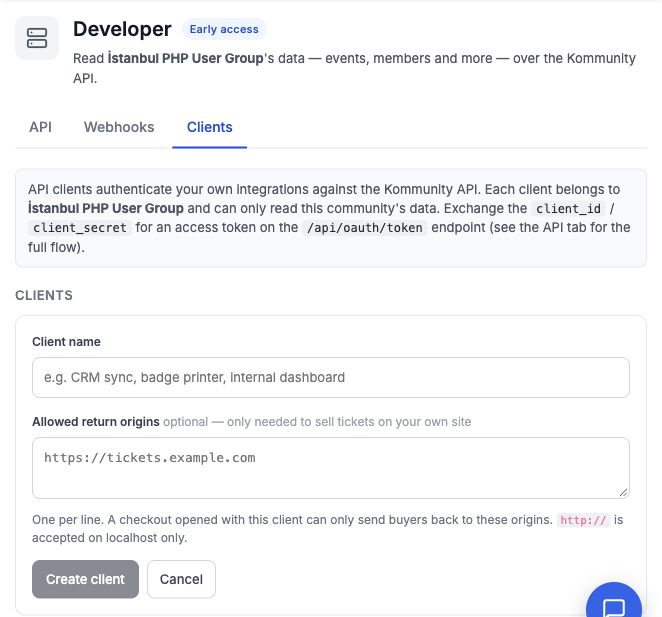
The client setup form. Allowed return origins are optional and used when selling tickets on your own site. The screenshots show an earlier version of the panel; the current panel includes the expanded API documentation.
The API tab includes endpoint descriptions, request parameters, response fields and copyable request examples. Open an individual event's Developer panel to get examples filled in with that event's identifiers. The Clients tab also shows recent requests and their HTTP status codes, so you can check whether your integration is working.
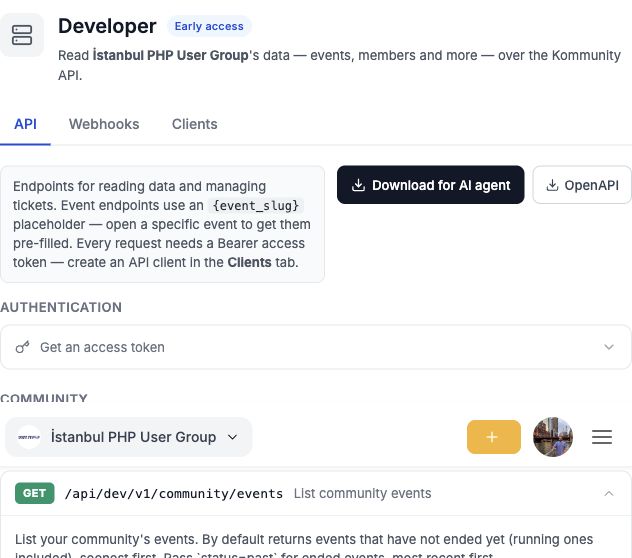
Expand an endpoint to see its parameters, a copyable request and the fields returned in the response.
Bring the docs to your AI assistant
If you're building with an AI coding assistant, you can give it the API documentation directly. Choose Download for AI agent in the API tab for a Markdown guide, or OpenAPI for a machine-readable specification.
Your assistant gets the endpoint paths, authentication flow and request and response details it needs to help build an integration. Start with a specific task, such as "build a dashboard showing upcoming events and their attendee counts," and use the guide as its reference.
Pair it with webhooks
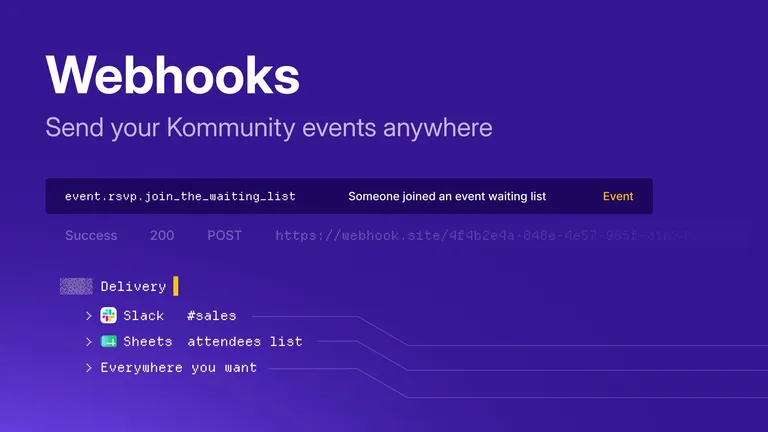
The API and Kommunity webhooks work together. Webhooks tell your service when something happens; the API lets it fetch the data it needs and perform supported actions.
For example, load your current attendee list through the API, then use webhooks to react to new registrations as they arrive. Your integration can fetch additional details when it needs them, without repeatedly checking for changes.
Build your first integration
Head to your community's Developer panel, create a client, and pick one task you'd like to automate. Start with a dashboard, a guest list or a schedule on your website, then build from there. You'll find the current endpoint list and examples in the API tab as we continue to expand what's available.