About
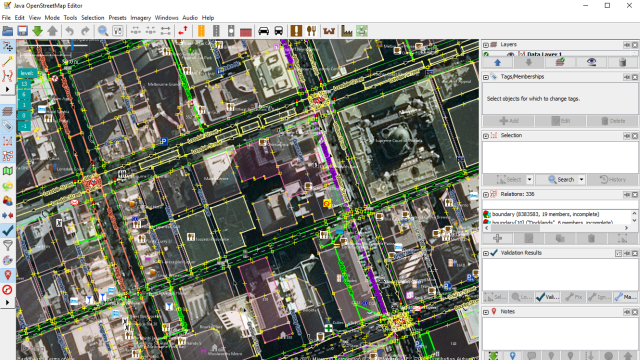
The JOSM (Java OpenStreetMap) Editor is one of the most common ways to contribute to OpenStreetMap.
It can be especially helpful when doing complex or repetitive mapping tasks that can be hard to do in the in-browser iD Editor.
Although it is very powerful software with heaps of useful tools, it can be quite daunting and complicated, which is where we come in!
David from Maptime Melbourne has very kindly agreed to run through JOSM. He will be showing us how to use JOSM and some tips & tricks for you to get the most out of it.
We will be commencing a Jitsi online video call (link available upon registration). This will consist of a short introduction and overview of the task.
**BEFORE THE MEETING**
Please download and install JOSM from its website on the platform most appropriate for you: https://josm.openstreetmap.de/
If you would like to get started early, you can also check out some of the help documentation here: https://josm.openstreetmap.de/wiki/Introduction
---------
AGENDA
7pm - 7:15pm - Introduction and welcome
7:15 - 7:30pm - Overview of task and opportunities
7:30pm - 9pm - Mapping in your own time! The video call will remain up until around 9pm with experienced mappers available to help answer any questions you may have.
-------
**IF YOU ARE NEW TO OPENSTREETMAP**
Please sign up before the event and create an account on OpenStreetMap: https://openstreetmap.org/
We welcome all levels of mapping skill to all of our events! This workshop is primarily aimed at people who have at least some experience with OpenStreetMap and want to expand their editing skills into a new editor (JOSM).
However even if you haven't mapped before, please feel welcome to join in anyway!
Comments

Learn JOSM to edit OpenStreetMap